CNC Router
-
Save $247.85


Twotrees TTC450 PRO CNC Router Machine + TC20 Laser Module + 500w Motor + 4th Axis CNC Rotary + End Mills
Regular price $2,622.96Regular price$2,870.81-$247.85 Sale price $2,622.96 -
Save $340.00
 New
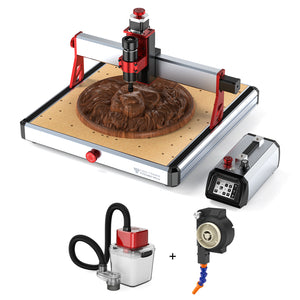
NewTwotrees TTC450 Ultra CNC Router Machine + Vaccum Cleaner M1 + Cooling Kit
Regular price $1,307.00Regular price$1,647.00-$340.00 Sale price $1,307.00 -
Save $297.00
 New
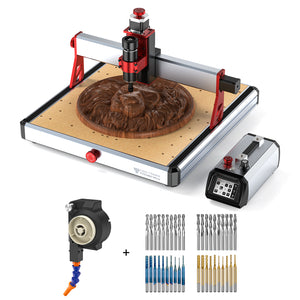
NewTwotrees TTC450 Ultra CNC Router Machine + Cooling Kit + End Mills
Regular price $1,307.00Regular price$1,604.00-$297.00 Sale price $1,307.00 -
Save $618.00
 New
NewTwotrees TTC450 Ultra CNC Router Machine + 4th Axis + Vacuum Cleaner M1 + Cooling Kit
Regular price $1,496.00Regular price$2,114.00-$618.00 Sale price $1,496.00 -
Save $247.85

Twotrees TTC450 PRO CNC Router Machine + 500w Motor + 4th Axis CNC Rotary + End Mills
Regular price $2,041.24Regular price$2,289.09-$247.85 Sale price $2,041.24 -
Save $439.00


Twotrees TTC-H40 CNC Router Machine + End Mills
Regular price From $2,628.00Regular price$3,067.00-$439.00 Sale price From $2,628.00 -
Save $45.00

 New
NewTwotrees TTC3018 Pro CNC Router Machine + Vacuum Cleaner + End Mills
Regular price $581.00Regular price$626.00-$45.00 Sale price $581.00 -
Save $247.85


Twotrees TTC450 PRO CNC Router Machine + Vacuum Cleaner M1
Regular price $1,467.93Regular price$1,715.78-$247.85 Sale price $1,467.93 -
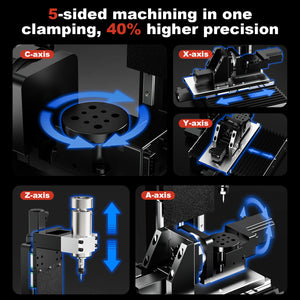
Twotrees X5 5-axis CNC Router Machine
Regular price $14,613.00Regular price$14,613.00Sale price $14,613.00 -
Save $465.00


Twotrees TTC-H40 CNC Router Machine + 20W Laser Module + 800W Spindle
Regular price $3,243.00Regular price$3,708.00-$465.00 Sale price $3,243.00 -
Save $2,923.00


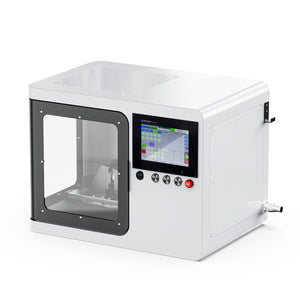
【Pre-sale】Twotrees ED1 Enclosed Desktop CNC Router Machine
Regular price From $3,506.00Regular price$6,429.00-$2,923.00 Sale price From $3,506.00 -
Save $628.00


Twotrees TTC6050 CNC Router Machine + TC20 Laser Module + 4th Axis
Regular price $2,729.00Regular price$3,357.00-$628.00 Sale price $2,729.00


Know More
How to Choose a TwoTrees CNC Router
TwoTrees CNC routers are designed for carving, cutting and milling projects across wood, acrylic, plastics, PCB and compatible non-ferrous materials. The right machine depends on the required work area, spindle configuration, material, project complexity and available workshop space. Compare the complete machines on this page first, then use the specialized collections below when you need a narrower configuration.
1. Start with Work Area and Project Size
Compact CNC platforms are useful for engraving, PCB work, small signs and detailed parts, while larger machines provide more room for furniture components, panels and batch work. Measure the largest material you expect to machine and allow additional clearance for clamps, dust collection and axis movement. A larger work area is useful only when the machine still fits the available bench and workflow.
2. Match the CNC Router to the Material
Wood, MDF and plywood are common CNC materials, but cutter choice, spindle power, workholding and feed settings still affect the result. Acrylic and other plastics require effective chip evacuation to reduce heat and melting. Aluminum machining requires a rigid setup, a compatible spindle and cutter, conservative parameters and secure workholding. Do not assume that every machine, spindle or bit supports every material.
If aluminum is your primary application, compare the configurations in our CNC routers for aluminum collection instead of selecting a machine only by motor wattage.
3. Compare Spindle, Collet and Cutting Tools
Spindle power is only one part of the cutting system. Check the spindle mount, permitted speed range, installed collet, cutter shank diameter and machine clearance before combining components. A cutter must fit the installed collet exactly, and the selected tool must be suitable for the material and operation.
Compare available CNC router spindles, then choose CNC router bits and end mills for carving, lettering, pocketing, profiling or 3D finishing.
4. Choose the Right Workflow
Beginners may prefer a compact machine with a straightforward setup and a smaller number of accessories. Experienced users may prioritize a larger work area, spindle upgrades, rotary-axis compatibility, laser-module options or improved dust management. Confirm compatibility on the individual product page before ordering a machine or accessory.
5. Plan for Dust, Chips and Safe Operation
Secure the workpiece, verify the toolpath and begin with a shallow test cut. Keep hands, cables and loose materials outside the machine's travel area. Wood dust, composite dust and metal chips require suitable collection, ventilation and personal protection. For compatible extraction options, visit our CNC dust collection systems.
Explore CNC Routers by Need
Use these focused collections when your project has a specific requirement.